home clear 64x64
  1. Monitoring & Tools
  2. Demo session
  3. MONITORING
  4. Admin-Scout Demopages -
en blue 200x116 de orange 200x116 info letter User
  • News
  • Informix
  • Services
  • Monitoring & Tools
    • The best Informix Admin-Tool
    • Scout Image
    • Demo session
    • Developers blog
    • Guided tour
    • Release informations
    • Download updates
    • Additional services
    • Monitoring Informix
suche 36x36
Open menu
  • News
    • CURSOR Expert Solutions
    • Your Informix Support- and Servicepartner
    • News about
    • Articles archive
    • Search
    • Login registration
  • Informix
    • IBM Informix – Editions and Licences
    • Informix Editions
      • Informix Innovator-C
      • Informix Express
      • Informix Developer
      • Informix Workgroup
      • Informix Enterprise
      • Advanced Developer
      • Advanced Workgroup
      • Advanced Enterprise
    • License texts
      • Informix Enterprise
      • Informix Workgroup
      • Informix Express
      • Informix Innovator-C
      • Informix Developer
      • Advanced Developer
      • Advanced Enterprise
    • Informix Announcements
  • Services
    • Services for Informix administrators
    • Feature requests
    • Documentation
      • Informix docu 14.10
      • Informix docu 12.10
      • Informix docu 11.70
      • Informix docu 11.50
      • IBM Informix Redbooks
    • Newsletter (IBM)
    • Media download
    • Bugs - research
      • Bug search - how to use
    • Bugs - newest
    • Bugs - fixlists
    • Workshops
    • Lifecycle (EOS)
    • Machine notes
    • Release notes
    • References
  • Monitoring & Tools
    • The best Informix Admin-Tool
    • Demo session
    • Developers blog
    • Guided tour
    • Release informations
    • Download updates
    • Additional services
    • Monitoring Informix
     

Admin-Scout - start a demo session

Admin-Scout for Informix - start your demo session Start

Dear Visitor,

the Admin-Scout demo session runs within a VM on an Informix Innovator-C database.

You can test all features of the Admin-Scout (Informix Control Center).

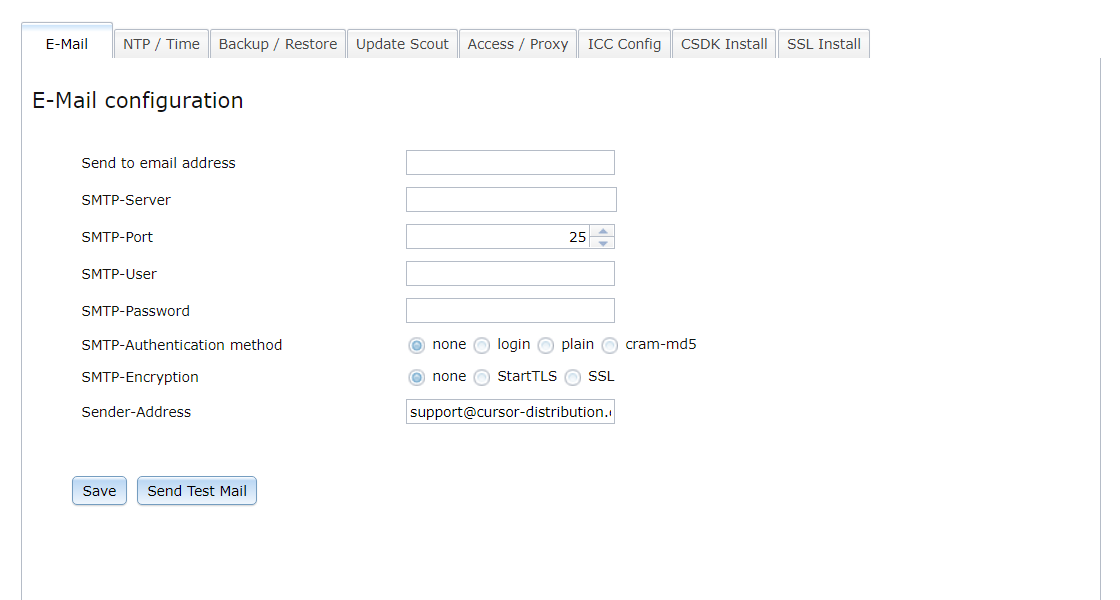
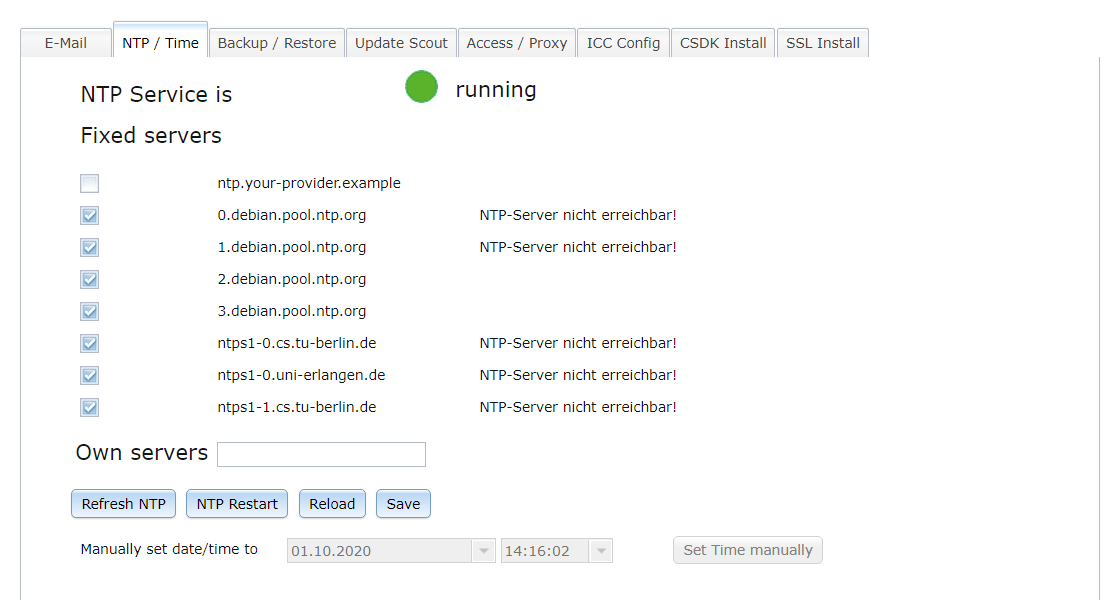
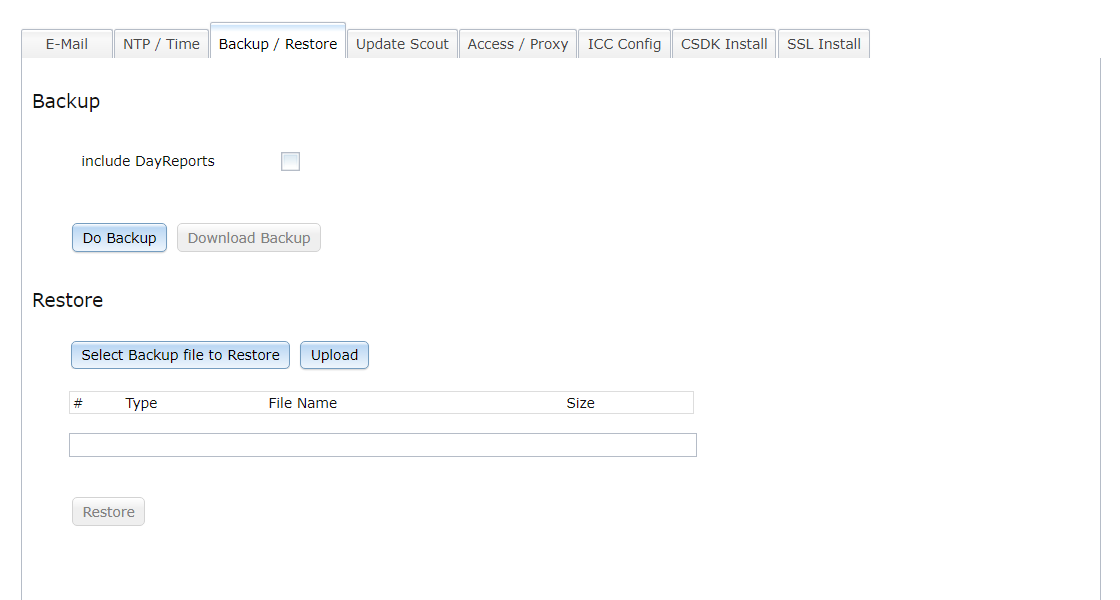
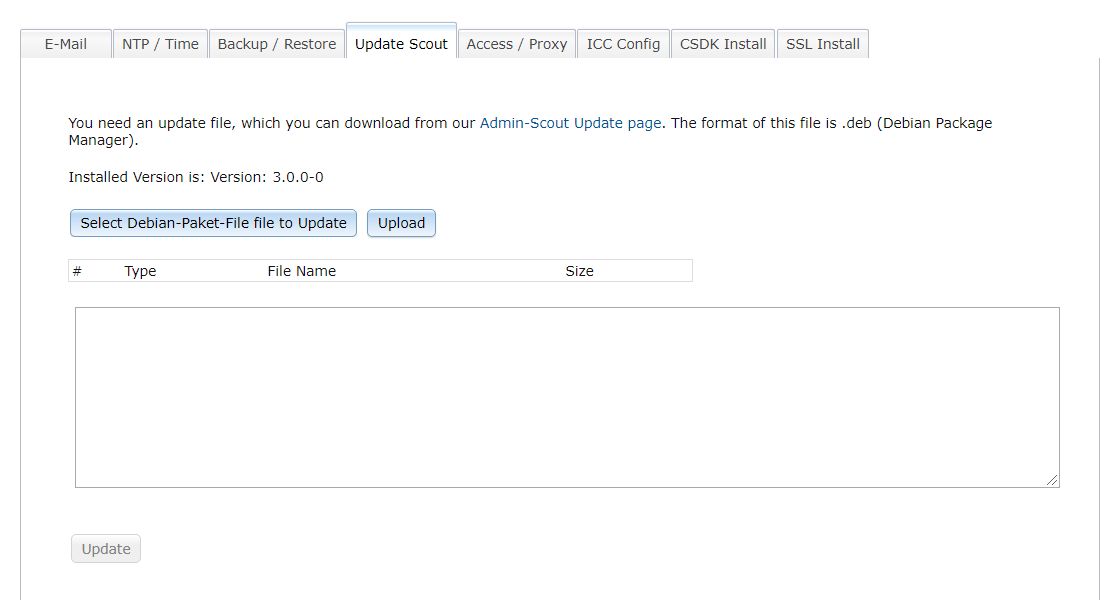
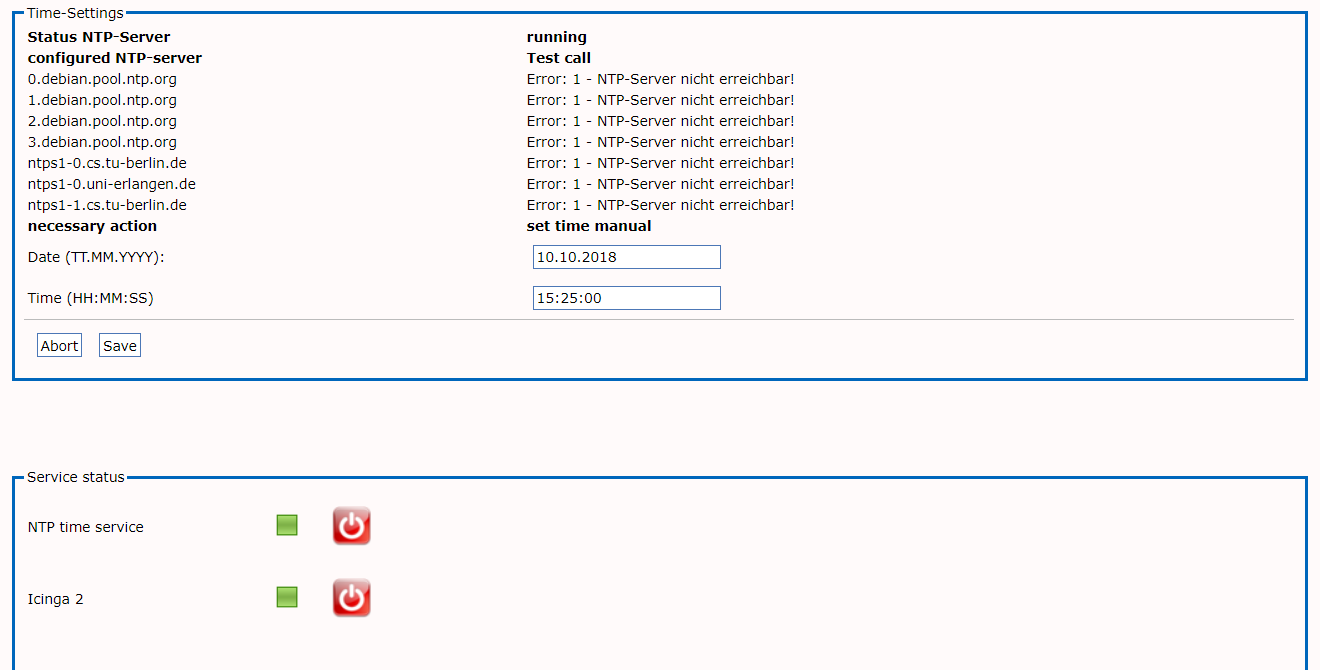
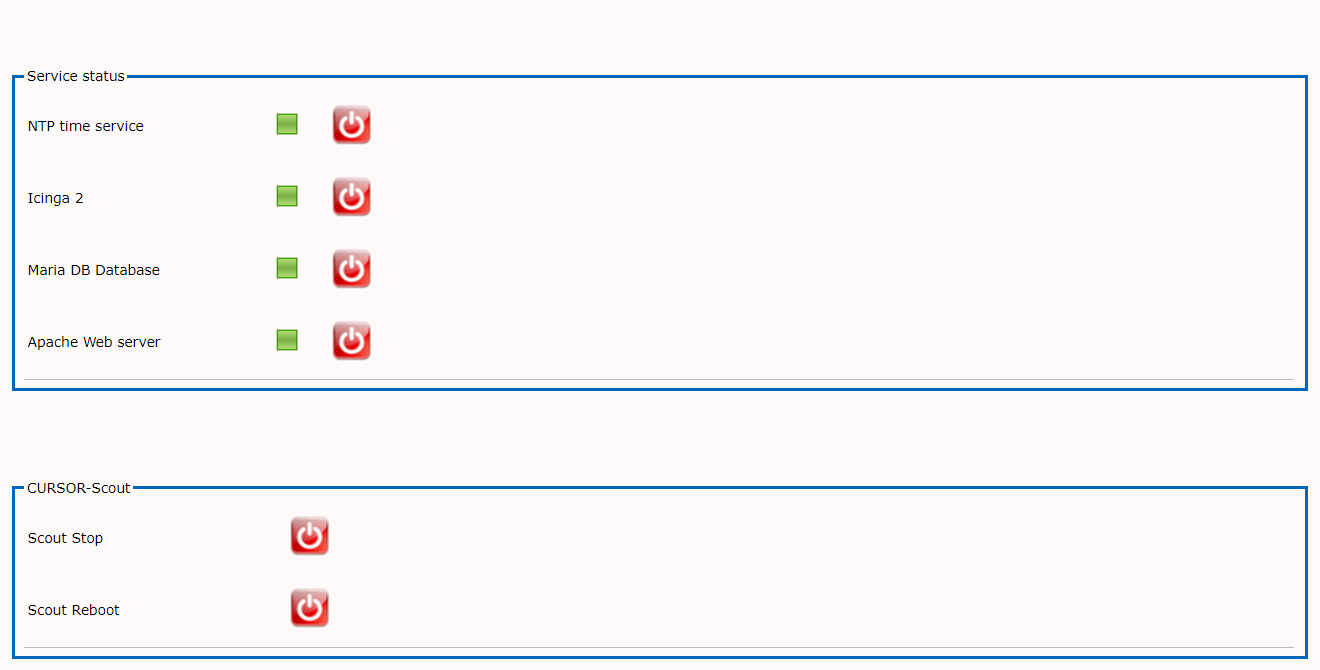
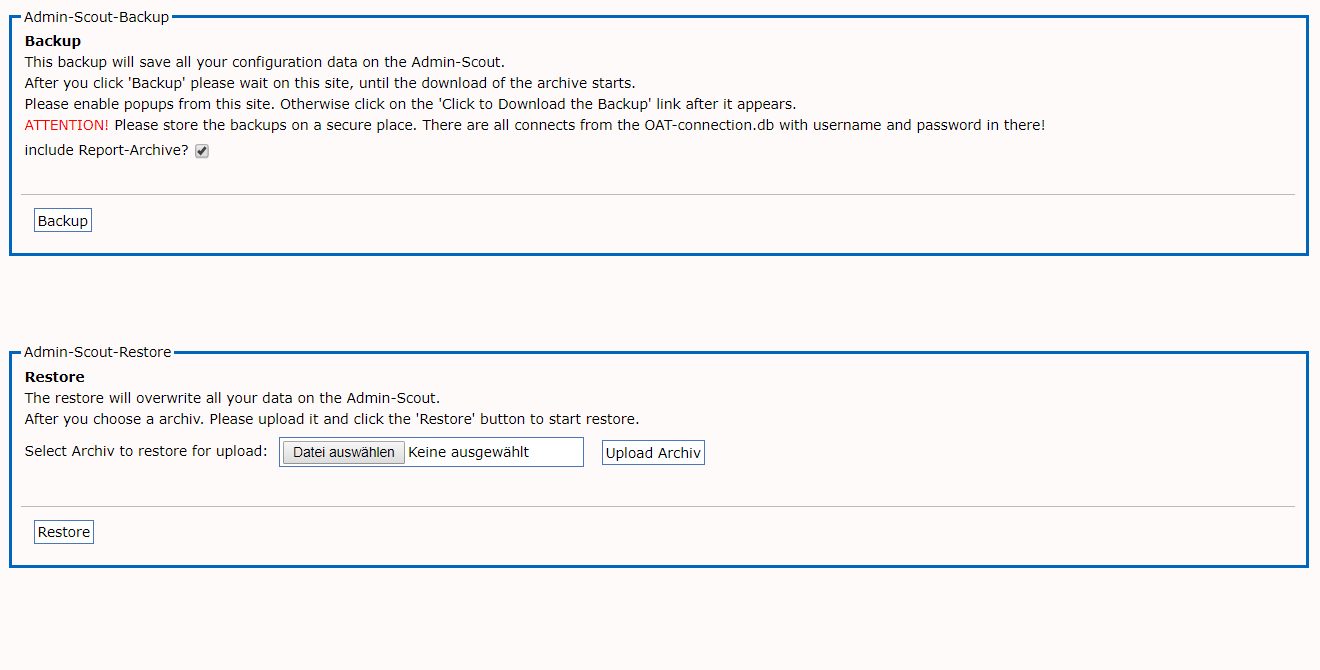
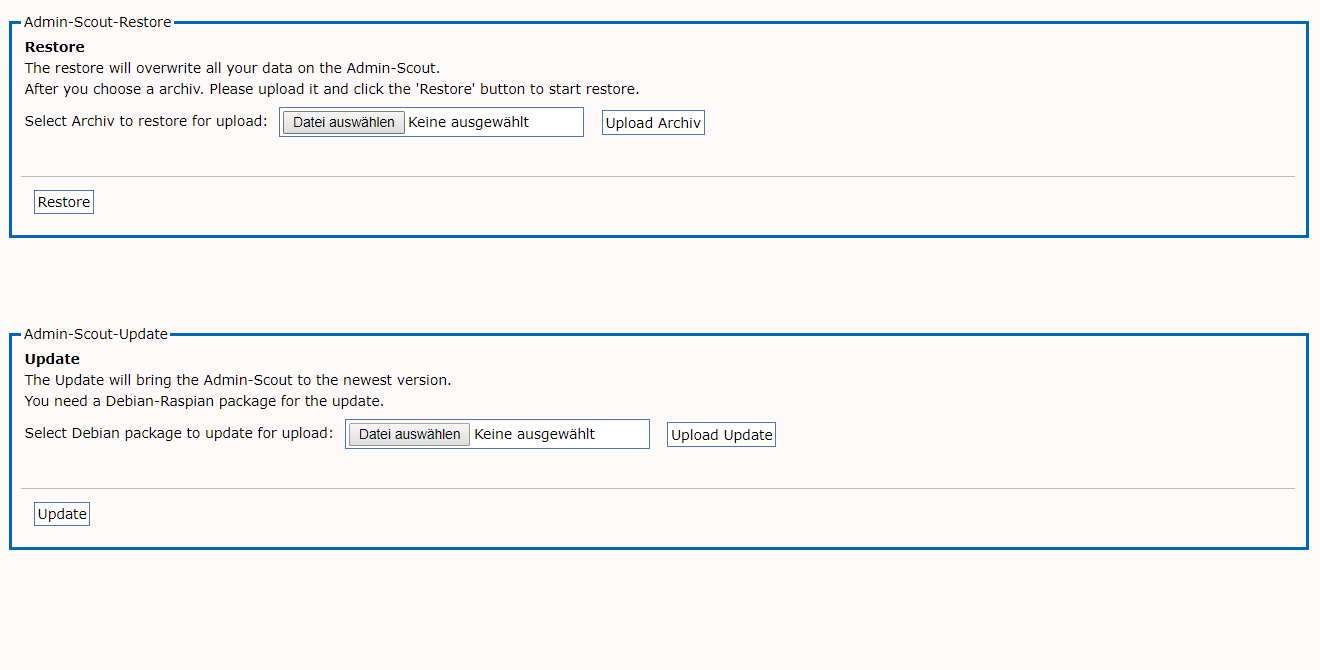
However, you have no access to the items Configuration, Time Settings and Backup/Restore. Here we offer slide shows for an overview.

The following tools are available:
   
backup blue 96x96ICC Informix
Control Center
clockblue 96x96 Time setting / Service status (Slides)
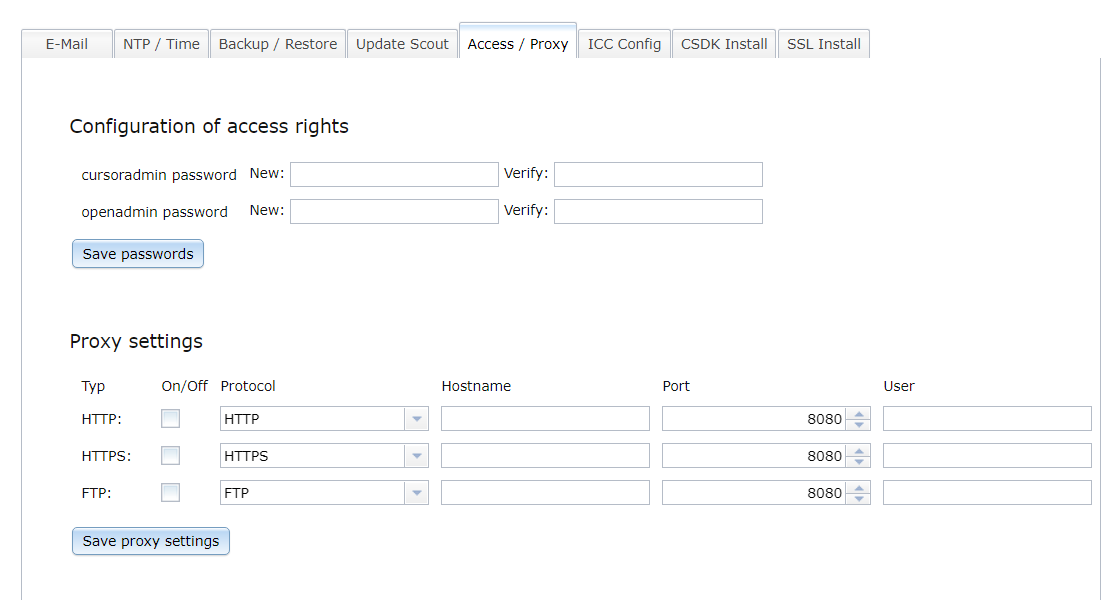
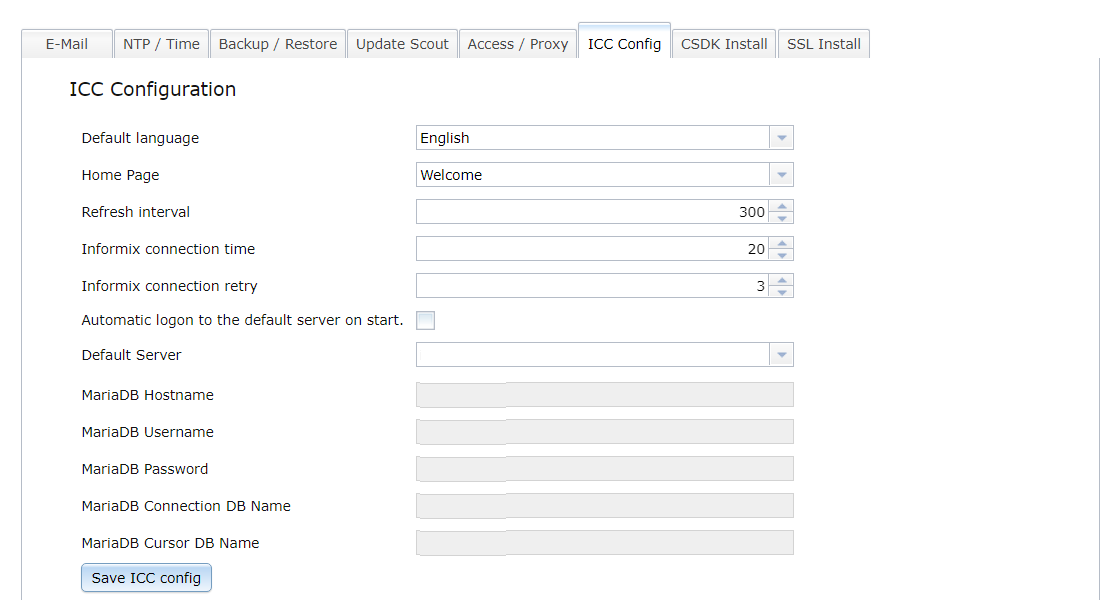
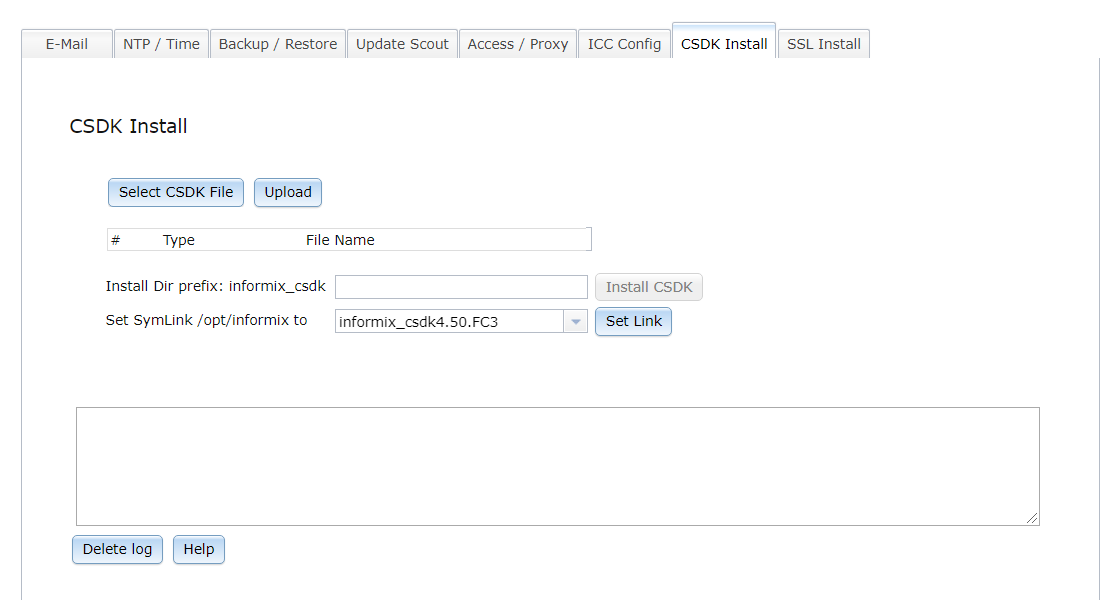
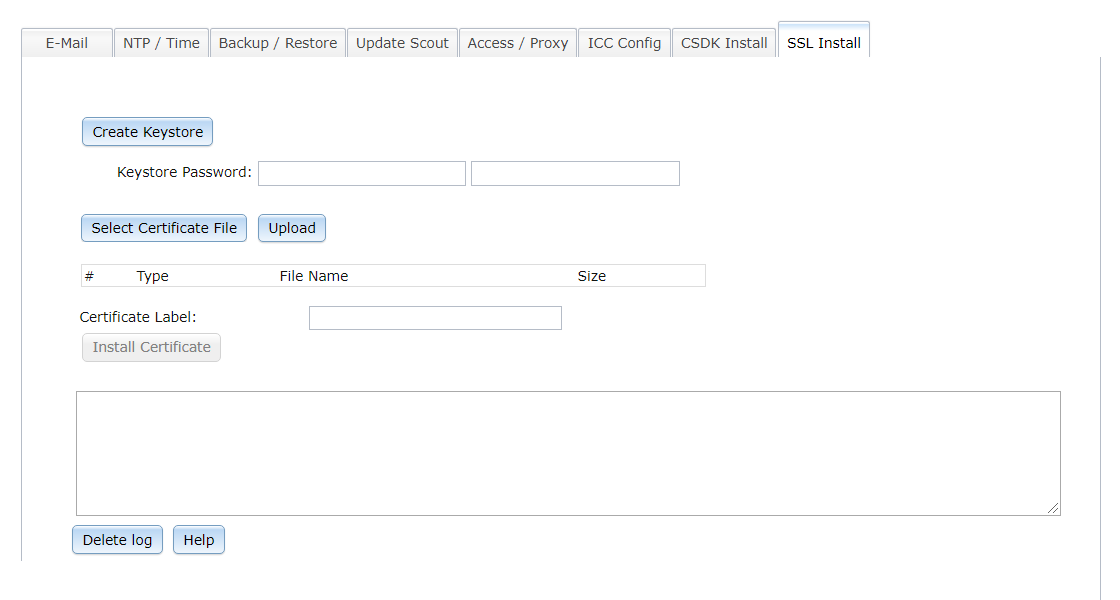
gear blue 96x96 Configuration of the Admin-Scout (Slides)
backup blue 96x96 Backup / Restore and Update (Slides)
Installed Version:
Admin-Scout 4.0 / August 2024
info blue 96x96 Help for the Admin-Scout
(english version) - (Hilfe auf Deutsch)

© 2016 - 2025 Copyright CURSOR Software AG, 35398 Gießen, Friedrich-List-Straße 31

Admin-Scout configuration pagesback 96x96

  • 01
  • 02
  • 03
  • 04
  • 05
  • 06
  • 07
  • 08
  • 01
  • 02
  • 03
  • 04
  • 05
  • 06
  • 07
  • 08


Admin-Scout Time settings / Service statusback 96x96

  • 01
  • 02
  • 01
  • 02

Admin-Scout Backup / Restore and Updateback 96x96

  • 01
  • 02
  • 01
  • 02

  • All Informix service and support offerings are now available through CURSOR Expert Solutions
  • XPS Data Suite for Informix – 12-month subscription, integrated DBMS included
  • Informix Monitoring and Support—with the Informix experts of CURSOR Expert Solutions
XPS Data Suite
XPS Data Suite
Admin-Scout
XPS Admin-Scout
Service & Support
Service & Support
About Our Company
About Our Company
invispix 10x10
  • Legal notice
  • Data Privacy
  • Photo credits
  • Sitemap
  • CURSOR Software AG
  • Respect for privacy | My data
  • Contact