The limitations of the smaller Informix editions have long been outdated and an obstacle to the future-oriented use of Informix. As part of Informix Technology Days 2024, a call was made to product management to review and upgrade the limits. There has been no response from IBM to date.
IBM TechXchange: Informix Technology Days 2025 on March 12th/13th, 2025, at IBM Watson Center in Munich.
Informix Technology Days 2025: like last year, at the same place but one day earlier and one major release further! Two days of lectures and hands-on labs with discussions about IBM Informix.
We were saddened to have heard of Carlton Doe's death.
Carlton came to IT in the 1980s. He began working with the Informix database as a 4GL developer, administrator and consultant. His high technical understanding, communication skills, and passion for advancing projects, made him a globally recognized expert on Informix over the course of his professional life.
IBM TechXchange: Informix Technology Days 2024 - on March 13th/14th, 2024 at the IBM Watson IoT Center in Munich.
After a pause caused by the Corona pandemic, we are pleased that IBM is offering the Informix Technology Days at the Watson Center in Munich again this year. The planned event is, as in previous years, aimed at decision-makers, developers, and system technicians who work with the database system in their professional daily life. IBM expressly invites all Informix users - including those who may have a potential interest in the technology - to join us.
Admin-Scout 3.2 Create individual users / Test roles with the SQL-Editor
Customized use of the Admin-Scout thanks to the new role concept
Whereas Admin-Scout previously only knew the default users "cursoradmin" and "openadmin", the new version 3.2 allows the creation of individual users. In combination with a dedicated assignment of rights on menu level, different roles can now be built up specifically.
Checking role and rights concepts with the SQL-Editor
Administrators have to deal with roles and access rights of database users. To make it possible to check the rights of a user, the new version allows to test accesses of the SQL-Editor under a different user name
With the ONCONFIG Explorer, Admin-Scout 3.2 offers a completely new module for managing ONCONFIG variables.
The goal of our development was to clearly summarize the ONCONFIG variables in one place and to present all information related to selected variables.
The ONCONFIG Explorer displays all ONCONFIG variables alphabetically sorted in a tree structure. A search field can be used to narrow down the number of hits.
For all documented variables a help button supports the quick display of the reference entry from the manual.
The entire storage administration clearly arranged in one module!
Admin-Scout 3.2 offers a complete overhaul and restructuring of storage management. The new module combines storage administration and reporting in one menu item. Administrators are now able to see all storage objects immediately through a hierarchically sorted object tree. A simple click provides all relevant details, sensibly organized via individual tabs.
The IBM Knowledge Center offers a good introduction to the new Informix Version 14.10
Topics:
Performance
J-foundation upgrade
Log Replay
Common Table Expression
Administration
InformixHQ
REGEX: rtrim flag and overloaded functions
Backup to S3 cloud servers using V4 authentication
Atomic replacement of stored procedure
Replication to SPL routine
ODBC Smart Trigger
Security
Integrated Encryption
Remote Key Store for EAR
Extensibility
TSTAMP data type for TimeSeries
Spatio-temporal Enhancements
Installation Enhancement
Informix edition installer
For the installation of Informix 14.10, there is a new installation routine.
The installation of Informix 14.10 Editions is done via a new installation routine. The 14.10 image installs an Informix Developer Edition. The new Informix Edition Installer will then be used to activate the respective edition. You can also select an edition manually by exchanging xx_edition.jar files. This technique offers an easy way to switch between editions.
Extract from the installation notes:
You may run the Informix edition installer to switch the edition of a 14.10 Informix installation from one edition to another. Run the edition installer as the user Informix, or as the same user that installed a private installation. This requires Java 1.8.0 to install.
Alternatively the ids_install or iwa_install installer will invoke the edition installer for you. All you need to do is copy ee_edition.jar to the same directory as ids_install, and run the ids_install as normal. If there are multiple edition installers in the installation folder the first found from the list below will be installed: Advanced Enterprise Edition (aee) Advanced Developer Edition (ade) Advanced Enterprise Time Limited Edition (aetl) Enterprise Edition (ee) Time Limited Edition (tl) Workgroup Edition (we) Express Edition (e) Innovator-C Edition (ie) Developer Edition (de)
The IBM provides in loose order the legendary RedBooks about interesting topics. They can be downloaded free of charge as PDF-documents on the IBM Website.











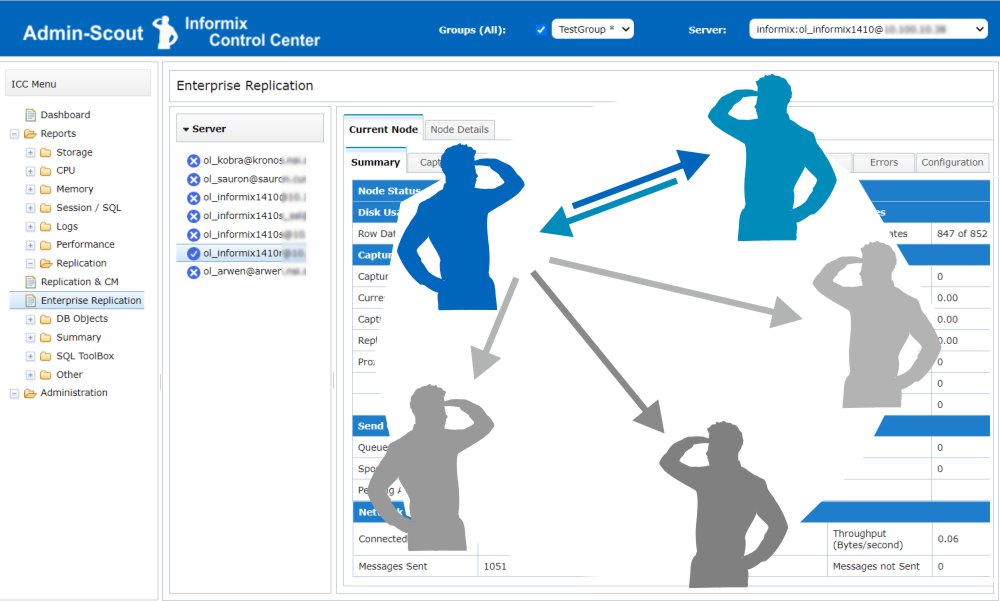 Informix Enterprise Replication is a powerful way to replicate data assets across distributed installations and keep them consistent.
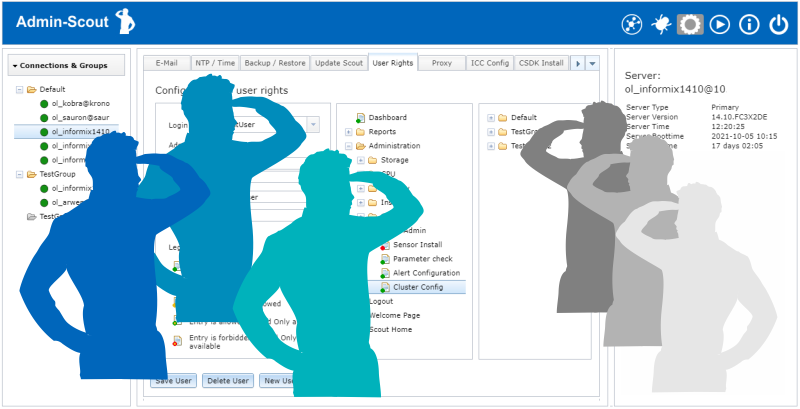 Customized use of the Admin-Scout thanks to the new role concept
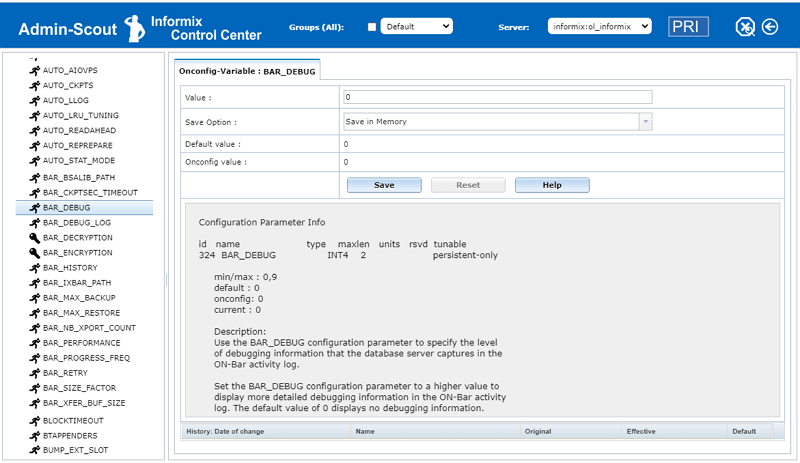 With the ONCONFIG Explorer, Admin-Scout 3.2 offers a completely new module for managing ONCONFIG variables.
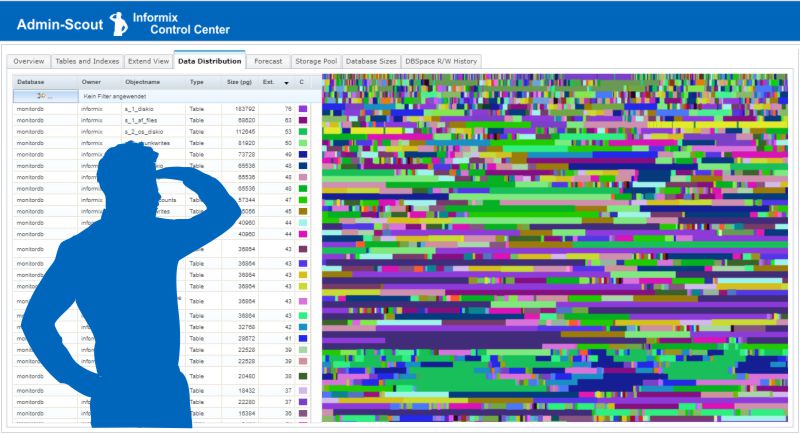 The entire storage administration clearly arranged in one module!

 For the installation of Informix 14.10, there is a new installation routine.
 Docu-CD-IDS12.10.xC1 (
